Unitree humanoid robots for development.

Choose an R1, G1 or H2 EDU configuration for your lab, startup or application project. Thetic helps you compare the complete robot package, plan the equipment and support you need, and define the next step.

Based in Warminster, Pennsylvania. Serving buyers across the United States.

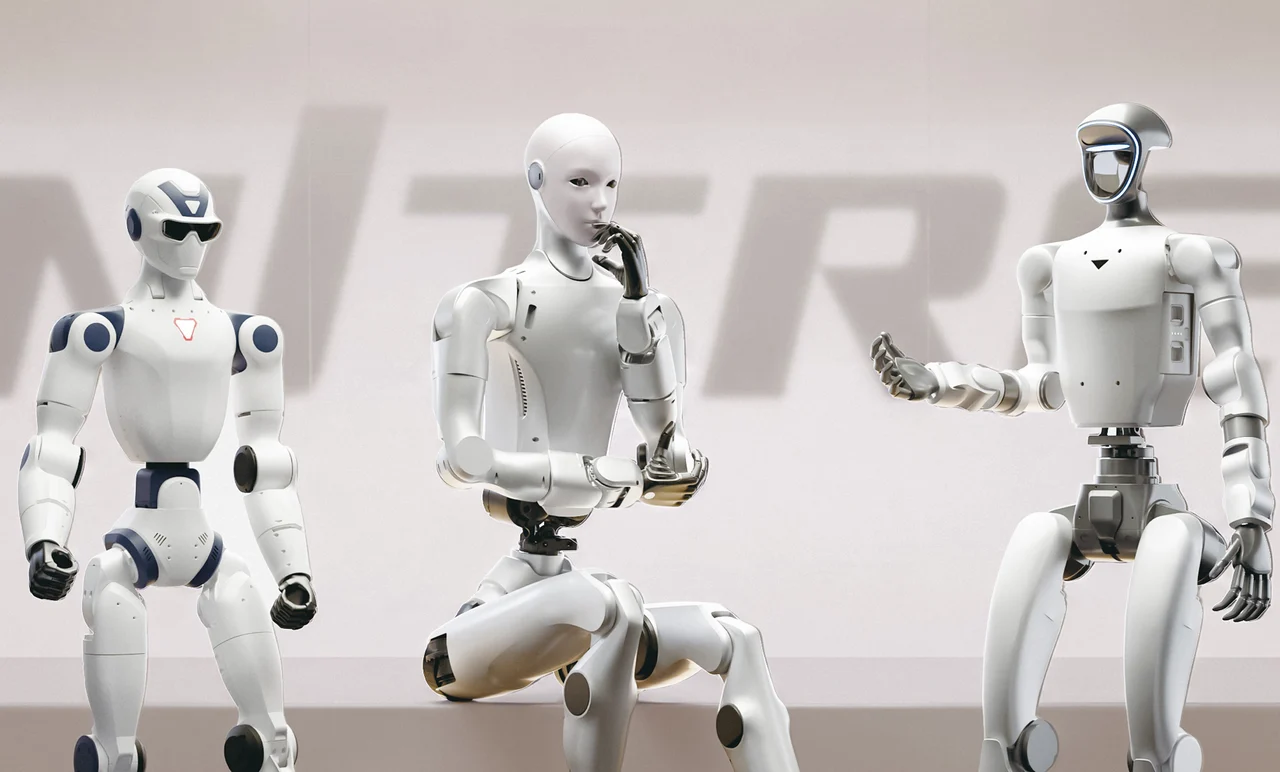
Unitree R1, H2 and G1 humanoids in a manufacturer lineup rendering.
Unitree humanoid lineup

Choose the platform around the work.

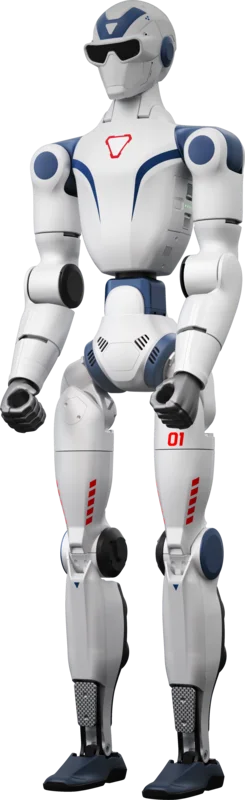
Unitree R1 EDU

Compact development

Height: Approx. 3 ft 11 in (1.2 m)
Arm load: 4.4 lb (2 kg) maximum
Arm-load reference for functional-hand packages.

Starting at $15,950

Manufacturer image; pictured configuration may differ.

A compact starting point for learning humanoid development, testing perception and exploring smaller manipulation tasks. Standard and functional-hand packages have different computing configurations.

View R1 EDU
Unitree G1 EDU

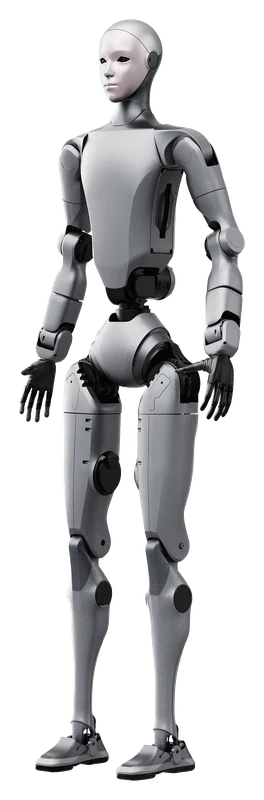
Manipulation development

Height: Approx. 4 ft 3 in (1.3 m)
Arm load: 6.6 lb (3 kg) maximum
Arm-load reference for functional-hand packages.

Starting at $43,900

Pictured with BrainCo Revo 2 hands.

A middle-sized platform for arm-and-hand research. Compare the Standard body with the more articulated Ultimate configurations as well as the hands.

View G1 EDU

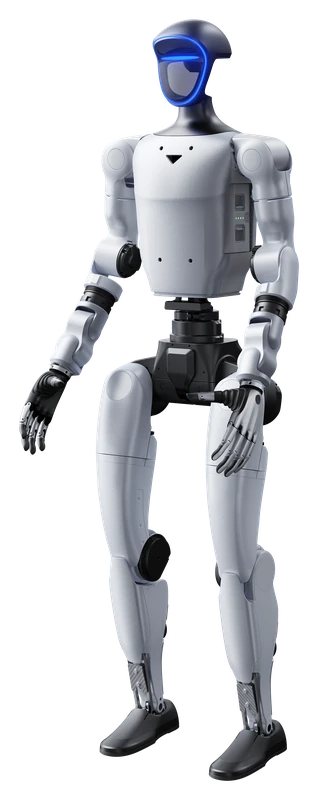
Unitree H2 EDU

Full-size development

Height: Approx. 6 ft 0 in (1.82 m)
Arm load: Approx. 15.4 lb (7 kg) rated
Arm-load reference for functional-hand packages.

Starting at $66,800

Manufacturer image; pictured configuration may differ.

A full-size platform for projects where reach and arm-load capability matter. Plan workspace, handling and optional AI computing alongside the robot.

View H2 EDU

Base prices refer to EDU Standard with non-actuated dummy hands. Selecting functional hands changes the complete robot-package price. Optional equipment and services are quoted separately.

Plan the purchase and the first development step.

  1. 01

    Configuration

    Compare the body, hands, sensors and computing against the task you want to attempt.

  2. 02

    Setup and onboarding

    Define the equipment, connections and developer handover needed to get your team started.

  3. 03

    Application development

    Scope a specific integration or prototype around clear requirements and a measurable test.

  4. 04

    Continuing support

    Agree the assistance, documentation and further development you need after handover.

Explore services

Before you choose an EDU robot

Understand what the hardware supplies, what requires programming, and which details to compare in a quote.

Questions before buying

What does EDU mean, and why does Thetic focus on it?

EDU identifies Unitree configurations intended for education, research and application development. The configurations offered here provide development access and computing for building software around the robot. You do not have to be a university to consider an EDU platform.

The exact package still matters: body articulation, hands, sensors and computing can differ within the same robot family. Compare those items alongside the price, especially when comparing an EDU package with a lower-priced non-development version.

What does the starting price include?

The base starting price refers to the named EDU Standard configuration with non-actuated dummy hands. Dummy hands do not grip. Selecting a functional hand package changes the robot package and its displayed starting price; that package includes a pair of the named hands.

You can request a hardware-only quote. Onboarding, integration and development services are optional and separately scoped. Review the selected-configuration summary and written quote for the complete equipment, quantities and charges.

Can it arrive ready to clean, handle products or work on a production line?

Those are application projects that must be defined and tested. A robot's walking software, cameras and hands do not by themselves provide a complete cleaning or production workflow. The application may need perception, grasping, motion planning, fixtures, process integration and a suitable operating area.

Describe one initial task, the objects involved and the result you need. Thetic can review the platform and development scope for that task before you commit to a larger application.

What should I send for a useful recommendation?

For an equipment quote, start with the model or configuration, quantity, delivery location and target timing. For application advice, describe the objects, size and mass range, surface materials, workspace, desired motions and what a successful result would look like.

Include any existing robot, software stack or purchasing requirements. You can leave the hand and model undecided; a clear task description is more useful than guessing a configuration.

Tell us what the robot needs to do.

Share the task, objects, workspace and target timing. If you already know the configuration, send it with the quantity and delivery location.